The Best Spotlight Alternatives for Mac in 2026 (Launchers vs. Deep Search)
TL;DR
macOS search alternatives fall into two categories: productivity launchers (like Raycast and Alfred) and deep file finders (like Find Any File). Dhito represents a third category: semantic AI file search that finds documents by meaning rather than keywords.
Every Mac user is familiar with Spotlight. By pressing Cmd + Space, you get a quick way to launch apps, do basic calculations, or find a document you edited yesterday. But as your digital workspace grows, Spotlight's limitations start to show. It often clutters results with web suggestions, struggles to search inside complex files, and fails completely if you cannot recall the exact filename.
Because of this, a thriving ecosystem of Spotlight alternatives has emerged. However, these tools are not all the same. They generally fall into distinct categories depending on whether they focus on speed and productivity shortcuts (Launchers) or scanning every corner of your hard drive (Deep Search).
In 2026, a new category has also emerged: On-Device Semantic AI Search. Let’s break down the best alternatives in each category to help you choose the right tool for your workflow.
Category 1: Productivity Launchers (Raycast & Alfred)
Productivity launchers are designed to replace the keyboard shortcut experience of Spotlight, adding powerful extensibility and custom triggers.
Alfred: The Classic Powerhouse
Alfred has been the gold standard for macOS power users for over a decade. It is exceptionally fast, lightweight, and uses minimal system resources.
- Strengths: The Powerpack allows you to build custom Workflows to automate repetitive tasks, control system utilities, query API endpoints, and manage clipboard history.
- Weaknesses: Out-of-the-box styling feels a bit dated compared to modern tools, and setting up workflows has a learning curve.
- Best For: Users who love customization, scripting, and lightweight, bulletproof performance.
Raycast: The Modern Developer Favorite
Raycast has taken the macOS world by storm with its beautiful, modern UI and a community-driven extension store.
- Strengths: Features built-in window management, a snippet manager, floating notes, and hundreds of extensions (from GitHub integration to Spotify controls). Everything can be controlled via keyboard shortcuts.
- Weaknesses: It is built on a web-technology stack (Node.js/React for extensions), making it heavier on memory compared to Alfred.
- Best For: Developers and modern professionals who want a rich ecosystem of third-party integrations ready to use instantly.
The Launcher Verdict
Both Raycast and Alfred are excellent at launching apps, executing quick calculations, and triggering workflows. However, their local file search capability is still reliant on macOS's built-in Spotlight metadata index. If Spotlight cannot index or find a file, neither can Alfred or Raycast.
Category 2: Deep File Search Utilities (Find Any File & HoudahSpot)
When you need to find a specific file hidden deep within library folders or system directories, standard launchers are useless. This is where dedicated file search utilities come in.
Find Any File (FAF)
Find Any File does exactly what it says: it bypasses the Spotlight index completely. Instead, it reads the disk's file system table directly.
- Strengths: It can find files that Spotlight ignores (such as hidden system files, application support plists, and package contents). Because it doesn't rely on a pre-built index, it is incredibly accurate and reliable.
- Weaknesses: It is strictly a search utility. It has a basic, functional interface and does not search inside file contents.
- Best For: System administrators, developers, and power users cleaning up cache folders or looking for stray system files.
HoudahSpot
HoudahSpot is a power-user frontend for the Spotlight index, allowing you to build highly specific and complex search queries.
- Strengths: You can filter files by dozens of criteria simultaneously (e.g., "Find PDFs created in the last 14 days, containing the word 'invoice', larger than 5MB, and tagged 'Finance'").
- Weaknesses: It is dependent on the health of your Spotlight index, so if Spotlight's database is corrupted, HoudahSpot's results will be affected too.
- Best For: Professionals managing vast archives of documents who need precise, rule-based filtering.
Category 3: On-Device Semantic AI Search (Dhito)
In 2026, file search has evolved beyond matching keywords or setting complex rules. Dhito represents a new category: an on-device AI search brain that understands the *meaning* of your files and queries.
Instead of searching for exact filenames, Dhito lets you search your computer using your memory.

Semantic AI file search matches files by conceptual meaning
How Dhito Redefines Mac Search:
- Search by Concept: If you type "policy on remote work," Dhito will find a PDF titled "Employee Handbook 2026.pdf" because it understands the semantic relationship between the words.
- Multimodal Image Search: Powered by local AI vision (Microsoft Florence-2), Dhito analyzes the actual visual contents of your images. Searching for "family beach trip" surfaces photo DSC_9381.jpg because the AI "sees" the sand, ocean, and people.
- Automatic Audio & Video Indexing: Dhito automatically transcribes audio and video files in the background using OpenAI Whisper. This makes the spoken words in your Zoom meetings or tutorial videos searchable, letting you jump to the exact timestamp.
- Interactive Document QA: Once you find a document, you can chat with it using an on-device LLM. Ask "summarize the main changes in this contract" and get a cited answer in seconds.
- 100% Private & Offline: Everything runs entirely on your Mac's Apple Silicon. Your files and search queries never touch the cloud, preserving absolute privacy.
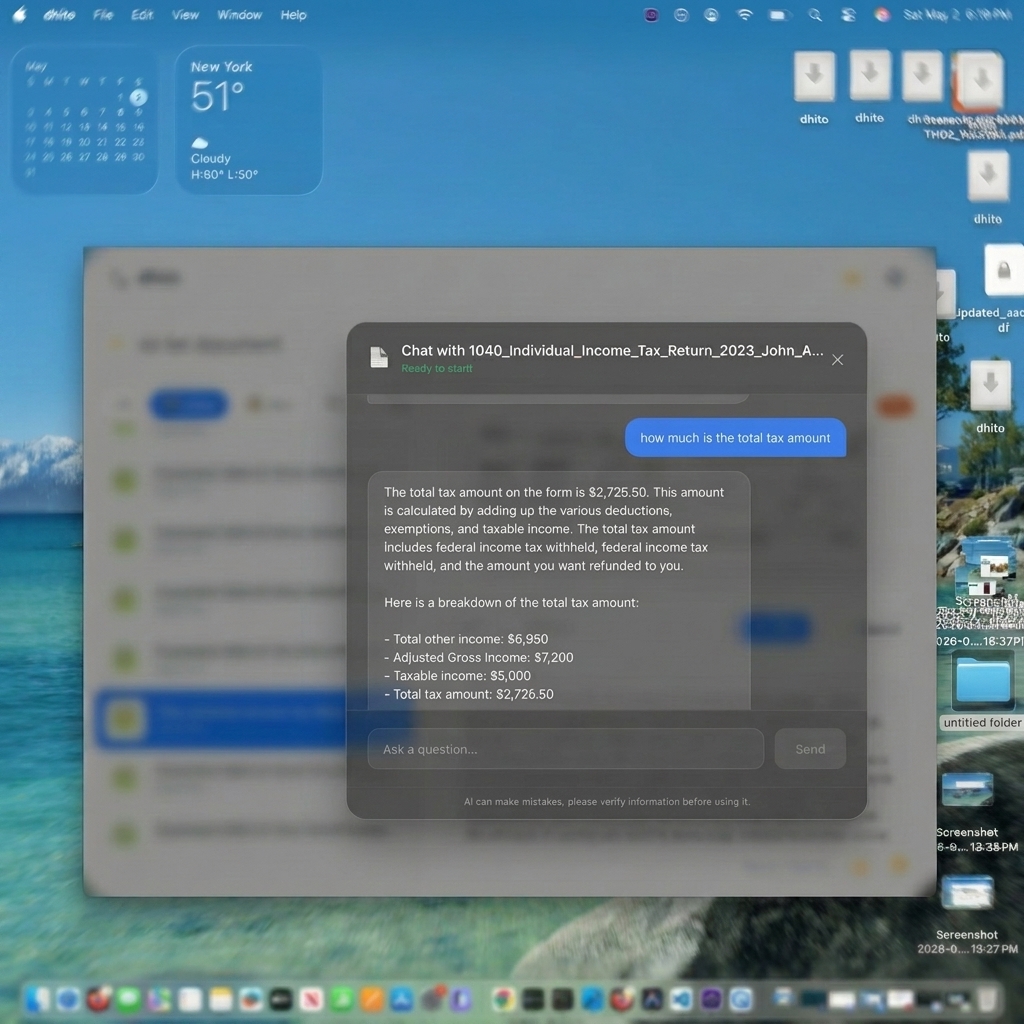
Securely chat with your documents using local offline LLMs
Comparison: Launchers vs. Deep Search vs. Semantic AI
Here is how the main Spotlight alternatives stack up:
- Primary Goal: Alfred / Raycast focus on productivity shortcuts and app launching. Find Any File / HoudahSpot focus on locating system files. Dhito focuses on searching by meaning, content analysis, and document Q&A.
- Search Method: Alfred / Raycast use Spotlight keyword matching. Find Any File / HoudahSpot use literal string and file system metadata filtering. Dhito uses semantic vector embeddings.
- Multimodal (Images/Video): Alfred / Raycast and Find Any File / HoudahSpot do not support conceptual media search. Dhito transcribes audio/video and indexes visual content using local AI.
- Interactive QA: Alfred / Raycast and Find Any File / HoudahSpot offer no built-in document Q&A. Dhito lets you chat directly with files using a local LLM.
- Privacy: Find Any File, HoudahSpot, and Dhito are 100% local. Alfred and Raycast are local but connect to cloud APIs for workflows/extensions.
Choosing the Right Tool for Your Mac
A great mac setup doesn't limit you to a single tool; instead, it uses the right utility for the job:
1. Use Raycast or Alfred as your primary launcher to replace Spotlight for launching apps, opening bookmarks, managing clipboard history, and triggering automation snippets. 2. Use Find Any File when you are doing system maintenance and need to locate cache files or hidden library documents. 3. Use Dhito to act as your digital memory. It is the perfect tool for knowledge workers, researchers, and creators who need to quickly locate information across thousands of documents, transcripts, and design files without compromising on privacy.
By combining an app launcher like Raycast with the semantic search brain of Dhito, you can build the ultimate productive and private macOS workspace in 2026.
Related Articles
GDPR, HIPAA, and the EU AI Act: Why Local AI is the Compliance Shortcut
Navigating AI compliance in 2026 is a legal minefield. Here is why the easiest way to comply with GDPR, HIPAA, and the EU AI Act is to simply not use the cloud at all.
What is RAG? How Retrieval-Augmented Generation Powers Private Document Chat
Ever wonder how an AI can instantly answer questions about a 500-page PDF it has never seen before? The secret is RAG. Here is a simple, no-code explanation of how it works.
Apple Intelligence vs. Dhito: What Apple's Built-in AI Gets Right (and What It Misses)
Apple Intelligence is transforming macOS, but is it enough for power users? We break down what Apple built-in AI does perfectly, and why you still need a dedicated local search engine like Dhito.
Want to try Dhito?
Download Dhito and experience the power of local semantic search today.