Dhito vs Spotlight: Why macOS Built-in Search Falls Short
TL;DR
Spotlight relies on exact keyword matching, which means it often misses files if you do not remember the precise filename. Dhito uses semantic vector embeddings to understand the meaning behind your search, making it a superior alternative for finding files by memory.
Every Mac user knows the ritual: you press Cmd + Space, type a search query, and scroll through a list of irrelevant web suggestions, system files, and dictionary definitions—all while the exact local document you are looking for remains hidden.
macOS Spotlight is built for speed, and it is great for launching apps or finding documents where you know the exact name. But when you are searching by memory or concept, Spotlight falls short.
Here is a deep dive into why keyword-based file search is fundamentally limited, and how Dhito uses on-device semantic AI to create a far more intelligent search experience.
1. Keyword Matching vs. Semantic Understanding
Spotlight relies on traditional lexical indexing. It maps the literal characters in your search query to the literal characters in your filenames and file contents. If there is no exact letter match, Spotlight simply does not return the file.
Dhito, on the other hand, performs semantic search. It uses a local deep learning model (MiniLM) to convert your files and your queries into vector embeddings—mathematical representations of meaning. Because it understands the concepts behind the words, you can search for what a file is *about*, rather than its exact name.
For example:
- Search Query: "client contract signature terms"
- Spotlight result: Returns nothing if the file is named "Agreement_Acme_Corp_2026.pdf" and the word "signature" is not explicitly indexed next to "terms".
- Dhito result: Instantly finds the Acme agreement, because the AI model understands that "contract" is a synonym for "agreement" and "signature terms" refers to the execution section of the document.
2. File Metadata vs. Multimodal Vision
If you have thousands of photos or design assets on your Mac, finding them via Spotlight is practically impossible unless you have meticulously named each file or added tags. A photo named "DSC_0982.jpg" is invisible to Spotlight's index.
Dhito features on-device AI vision (using Microsoft Florence-2). When you index folder contents, Dhito analyzes your images and generates semantic descriptions of their visual content.
- Search Query: "meeting in the glass conference room"
- Spotlight result: Returns nothing.
- Dhito result: Displays a photo from last month's team sync, recognizing the glass walls, whiteboard, and people sitting around the table in the image.
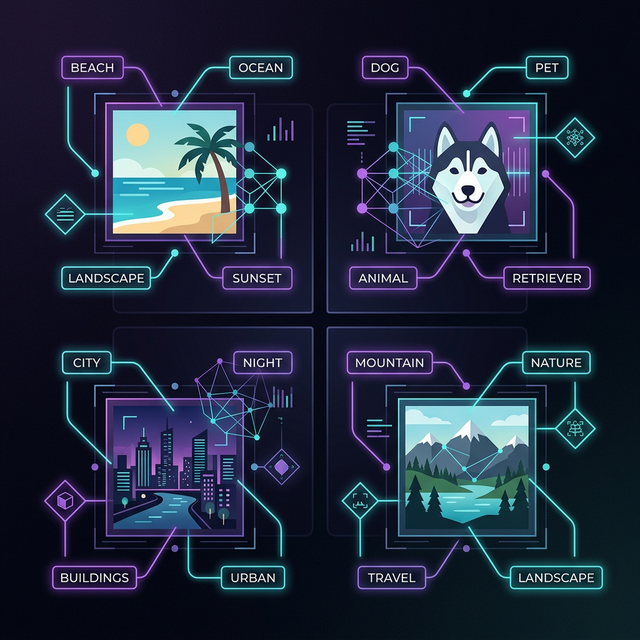
Visualizing image indexing and semantic matching in Dhito
3. Text Extraction vs. Automatic Audio and Video Transcription
For audio and video files, Spotlight is completely blind. It can only search the filename and standard audio metadata (like artist or album). If you have a two-hour recording of a client briefing or a Zoom meeting, the valuable information spoken during that conversation is locked away.
Dhito solves this by transcribing audio and video files in the background using OpenAI Whisper, which runs locally on your Apple Silicon. It indexes the transcribed text semantically, matching your search terms to the spoken dialogue.
- Search Query: "pricing discussion with marketing team"
- Spotlight result: Returns nothing (unless "pricing discussion" is in the filename).
- Dhito result: Points you directly to the 45-minute mark of a recorded Zoom video where the marketing team discussed subscription pricing.
4. File Launching vs. Interactive Document QA
Finding a file is only the first step. Once you locate a long, complex document, you still have to read through it to extract the information you need. Spotlight's job ends the moment you click on the file.
Dhito integrates local Large Language Models (LLMs) to allow direct interaction. Once you locate a PDF, contract, or academic paper, you can open a secure chat window to ask questions directly about the file.
- Spotlight capability: Open file, press Cmd + F, and manually scan for words.
- Dhito capability: Ask "What was the agreed budget cap in section 3?" and get a cited summary in seconds, completely offline.
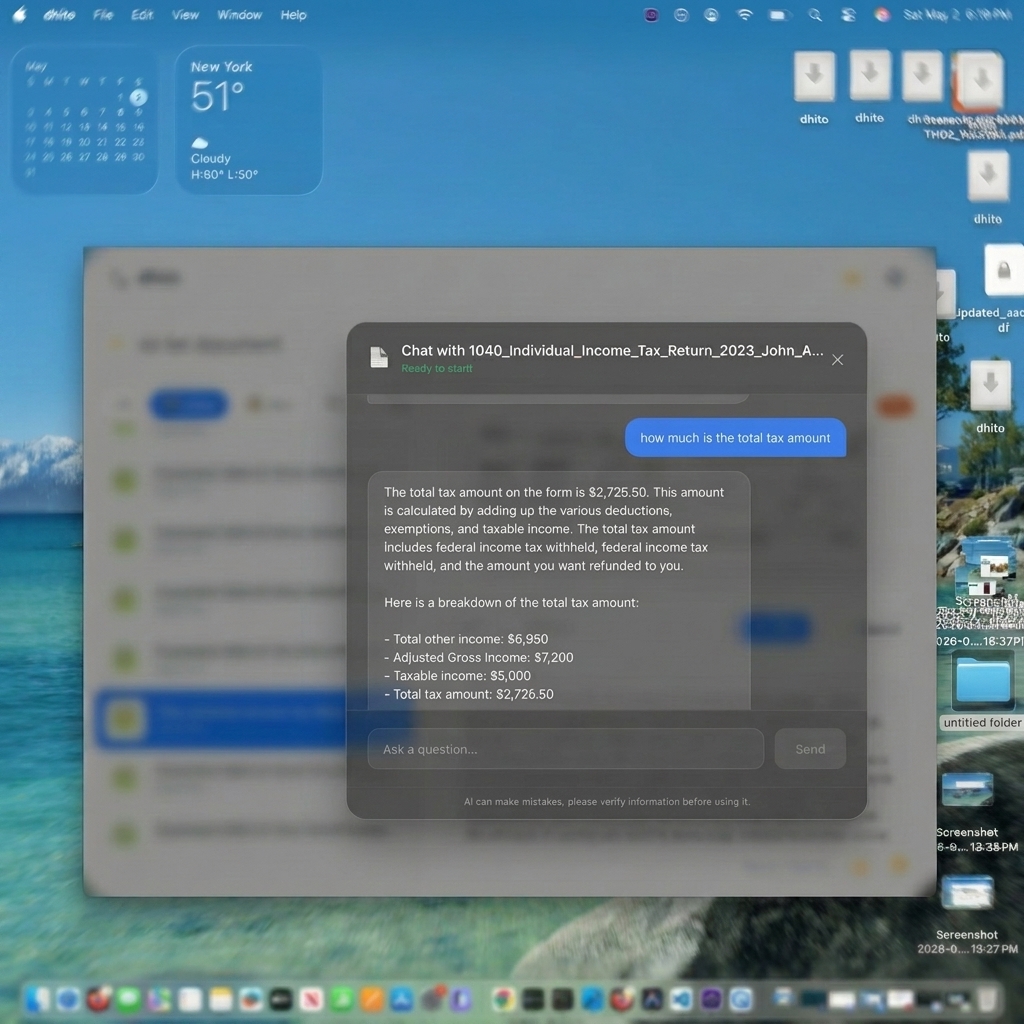
Chatting directly with your local documents using on-device LLMs
Comparison: Dhito vs. macOS Spotlight
Here is how the two search engines compare across critical file search criteria:
- Search Method: Spotlight uses exact keyword and character matching. Dhito uses semantic vector embeddings and conceptual matching.
- Natural Language: Spotlight requires exact syntax or prefixes. Dhito accepts conversational queries, synonyms, and tolerates typos.
- Image Search: Spotlight searches filename and manually added tags only. Dhito searches the visual contents of the image using local AI vision.
- Audio & Video: Spotlight is limited to filename search. Dhito transcribes audio/video locally and indexes the spoken content.
- Document QA: Spotlight offers no interactive QA. Dhito lets you chat directly with files using a local LLM.
- Privacy & Security: Spotlight is local but shares web query data with Apple by default. Dhito is 100% on-device, completely offline, with zero data exposure.
Summary: The Verdict
macOS Spotlight is an excellent tool for launching applications, performing quick calculations, and opening files when you know their exact name. It is built for speed and system-wide convenience.
However, when you are looking for information across a vast archive of files, trying to locate images or video assets, or needing to summarize complex documents without exposing your data to the cloud, Spotlight falls short.
Dhito does not replace Spotlight; it upgrades your Mac with a private, conceptual search brain. By understanding what your files actually mean, Dhito transforms your local storage into a searchable knowledge base.
Related Articles
GDPR, HIPAA, and the EU AI Act: Why Local AI is the Compliance Shortcut
Navigating AI compliance in 2026 is a legal minefield. Here is why the easiest way to comply with GDPR, HIPAA, and the EU AI Act is to simply not use the cloud at all.
What is RAG? How Retrieval-Augmented Generation Powers Private Document Chat
Ever wonder how an AI can instantly answer questions about a 500-page PDF it has never seen before? The secret is RAG. Here is a simple, no-code explanation of how it works.
Apple Intelligence vs. Dhito: What Apple's Built-in AI Gets Right (and What It Misses)
Apple Intelligence is transforming macOS, but is it enough for power users? We break down what Apple built-in AI does perfectly, and why you still need a dedicated local search engine like Dhito.
Want to try Dhito?
Download Dhito and experience the power of local semantic search today.